 PUSH & LIFT

The voice of the suite
It calls what is happening on track, so your eyes stay on it.
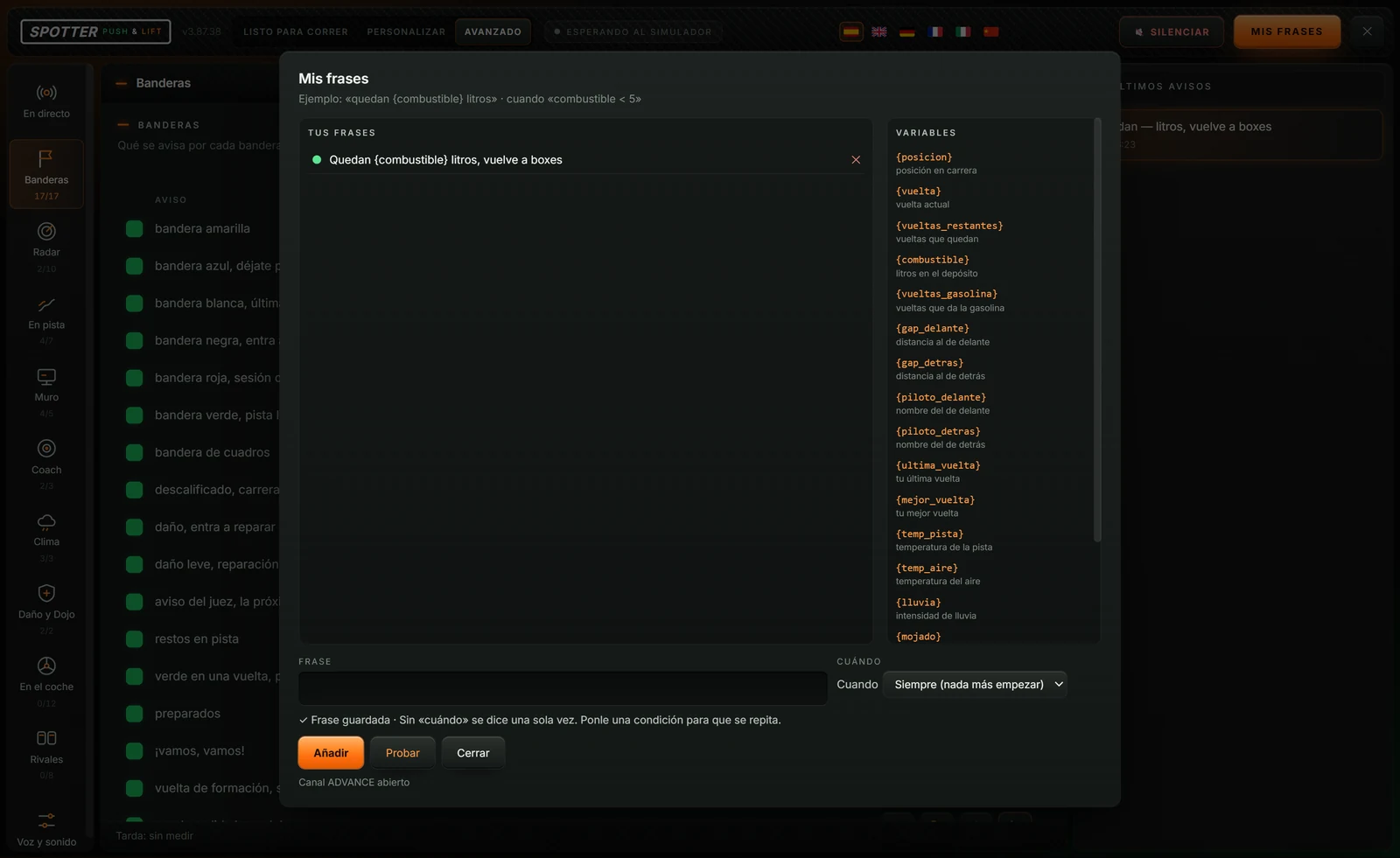
SPOTTER warns you by voice about flags, cars alongside, pits, fuel, weather and damage. You choose the voice, how much it talks and what it says, and you can write your own phrases with the car's data.
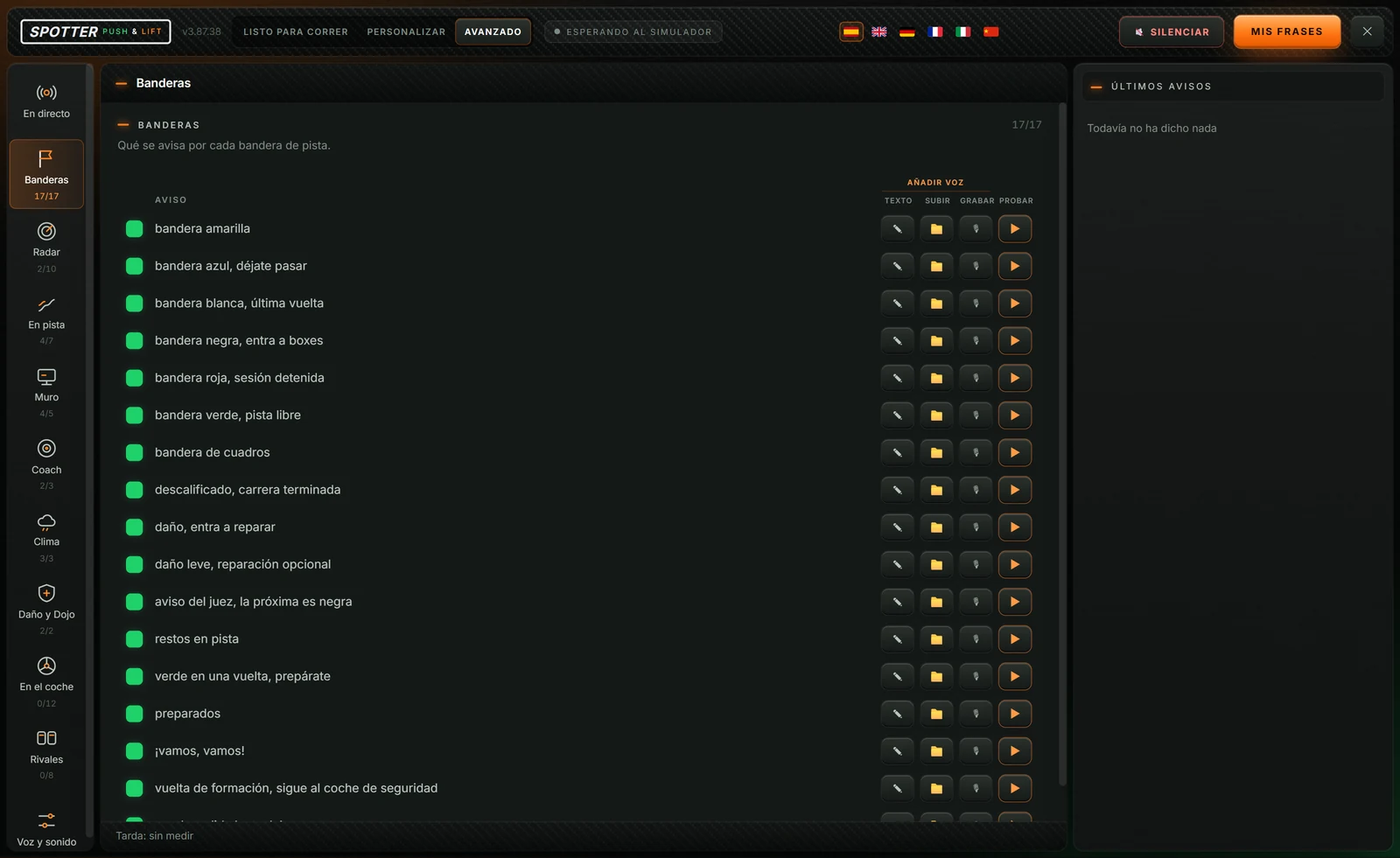
Flags, radar, pit wall, coach, weather and damage. Each call turns on and off separately, and you can test it before going on track.
Ready to race, Customize or Advanced, and you can change level whenever you like.
Voice, speed, volume, microphone and audio output.
Your own calls with a condition: "{combustible} litres left" when fuel drops below what you say.
What it is saying now and the latest calls, to see what played.
With Ready to race you have the essentials on.
Choose how much you want to hear and the audio output.
Once it shows iRacing connected, it talks to you on track.
The team and other drivers answer there. You can also email us at [email protected].
 PLIA
 LIVERY STUDIO
 GARAJE
 DIRECTOR
 MECANIC
 TOOLKIT