DDU
An on-board instrument in the motorsport tradition, with everything the engine computes.
RACE is an on-board instrument: a screen that divides into one, two or three modules with the tool you pick, an LED strip and a forged-carbon case.
No subscription. New users need a purchased licence to use the apps.
What it looks like
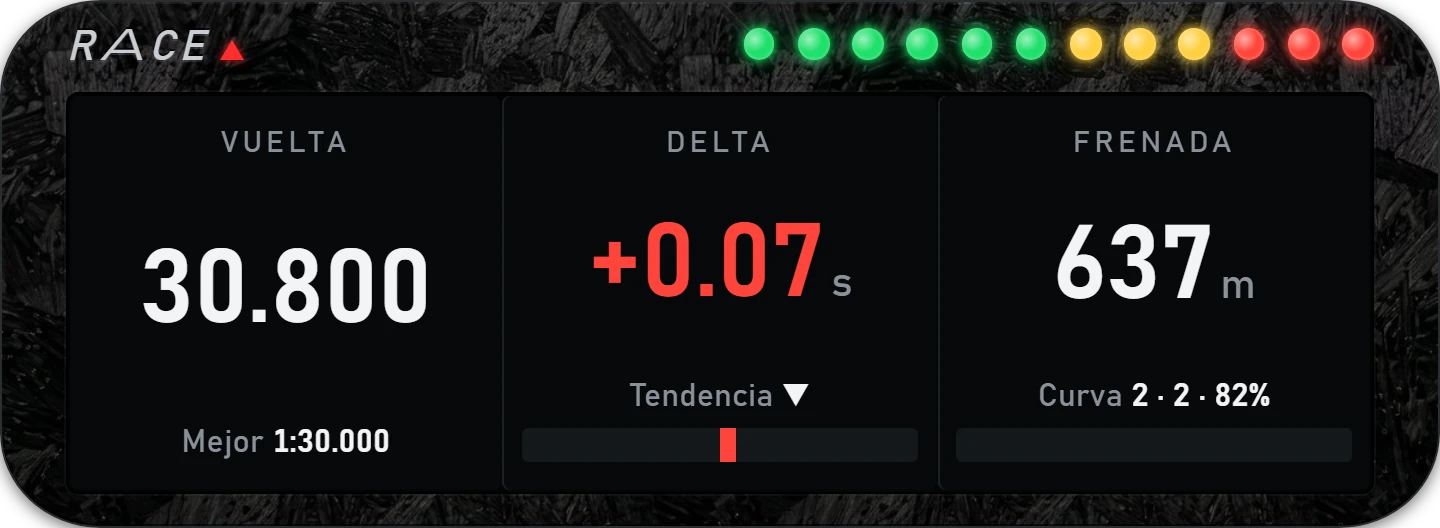
What it does
One, two or three modules; every tool draws itself to fit its module.
Tachometer with shift point, braking countdown or delta from the centre.
Lap, delta, braking, delta against the CSV, fuel, G-forces, position and more — the same list as ADVANCE.
Matte plastic or forged carbon in several finishes, with no buttons or frame in sight.
One-time purchase: 49.99 EUR. No subscription or automatic renewal. See the price and applicable taxes before confirming checkout.
 LITTLE
 RACE
RACE COACH
COACH ADVANCE
 PANEL
PANEL STANDINGS
 RELATIVE
 CLIMA
CLIMA FUEL
FUEL LAPS
LAPS DELTA
DELTA DUELO
DUELO RADAR
RADAR FLAGS
FLAGS MAP
MAP INPUTS CSV