 PUSH & LIFT
PUSH & LIFT
PUSH & LIFT
OVERLAYS
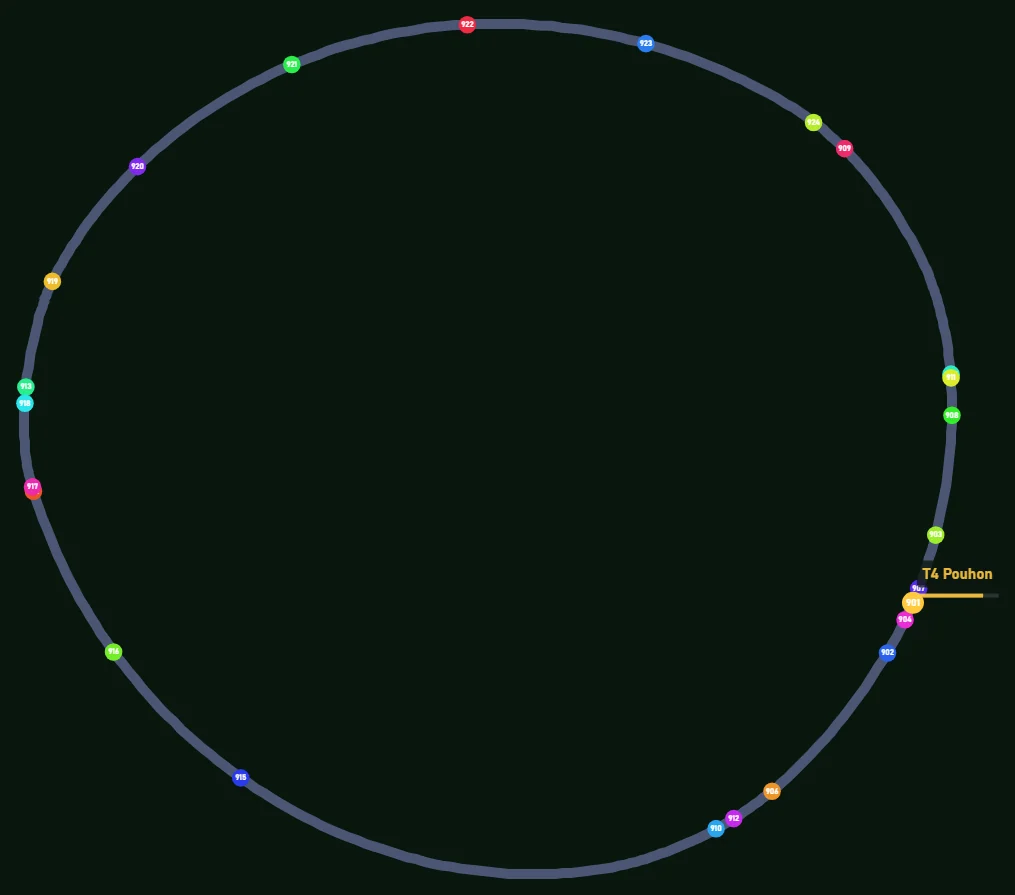
The circuit with every car on it, each in its place and with its number.
MAP draws the circuit and puts every car on it, with yours highlighted. The first time you drive a track, Push & Lift learns the layout over one full lap and keeps it for next time. If you prefer, the linear view lines everyone up on a single straight line.
Several overlays work with your reference-lap CSV.
Like everything in the suite, the AI can read and use them.
If you race with PLIA as your spotter, it understands what your overlays show and tells you.
Each rival in its place, with its number or position and its class colour.
Switch view in its settings or with Shift and right-click on the map.
On the tracks we've prepared, the name of the corner you're in, shown only while you're going through it.
If you turn it on, each sector is coloured by how you're doing in it against your session best.
Your own colours for the track and the cars, and an image of your choice instead of your car's circle.
The team and other drivers answer there. You can also email us at [email protected].
 DELTA
DELTA DUELO
DUELO RADAR
RADAR FLAGS
FLAGS INPUTS CSV